

Check whether Lead Source is capturing your forms
“Is it working?” has three layers: is the script on the site, are visits arriving, and are form submissions becoming leads. Lead Source gives you a signal for each — check them in this order.
1. Is the script live? — Test installation
Section titled “1. Is the script live? — Test installation”In Sites, on your website’s row, select Test installation.
- “Lead Source is live on {your site}” — we found the snippet on your homepage.
- “Verified, receiving data from {your site}” — we’re getting page visits, so tracking is live regardless of how you installed it (tag manager, CDN, or the snippet directly).
Either message means layer 1 is fine.
2. Are visits arriving? — the site badge and dashboard
Section titled “2. Are visits arriving? — the site badge and dashboard”- Each site on Your websites carries a badge: Active (seen in the last day), Quiet (nothing for over a day), Inactive (nothing for two weeks), or no badge at all if we’ve never heard from it.
- Your dashboard says “We’re listening on {your site}” with a Connected status while visits are flowing, and switches to “No activity from {your site} in over 24 hours” if they stop — usually meaning the snippet was removed in a site update, or the page it’s on isn’t being visited.
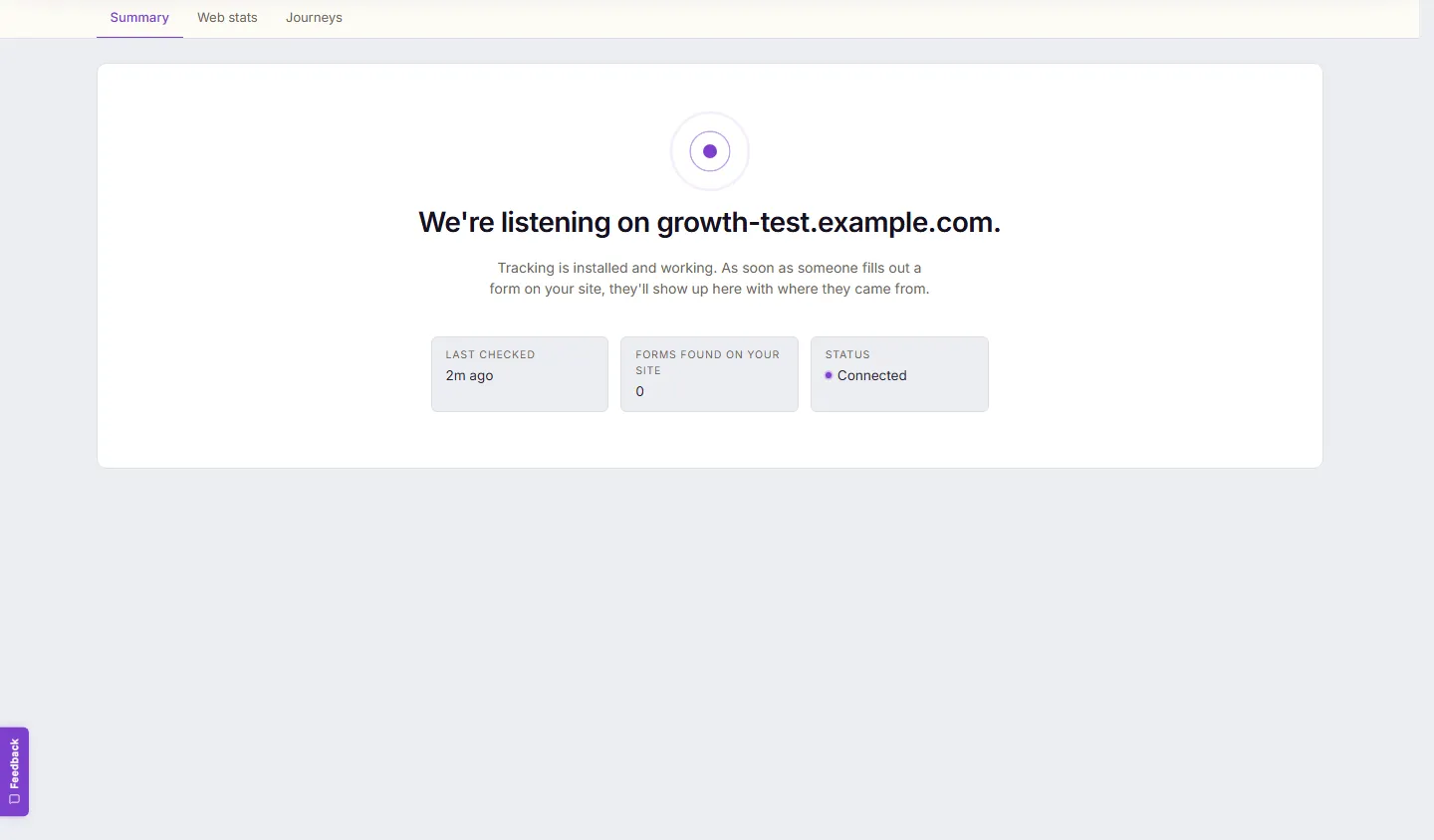
A quiet badge after a site redesign is the classic sign the snippet got dropped — re-add it and re-test.
3. Are submissions becoming leads? — the Forms screen
Section titled “3. Are submissions becoming leads? — the Forms screen”Visits can flow while a particular form still isn’t producing leads. Open Forms:
- Each detected form carries a status: Tracked, Needs review, Needs a check, or Excluded.
- The line to watch is “{N} submissions, none had a name or email” — that form is being seen, but what it sends doesn’t include an email address, and an email address is what turns a submission into a lead. Confirm which field holds the email on that form’s settings and captures start counting.
- If your form lives in an outside service (for example Jotform), a banner will tell you when that service has submissions it isn’t delivering to Lead Source — that’s a connection to fix on the service’s side, and the banner links the steps.
Expected result: Test installation green, site badge Active, your lead forms Tracked, and new submissions appearing in Leads within about 30 seconds of a customer pressing send.
Still not right?
Section titled “Still not right?”Work the symptom-first fixes: Fix a form that is not being captured.