

Delete your account
Deletion is self-service and permanent.
Who can do this: the account owner only.
Before anything: back up your data
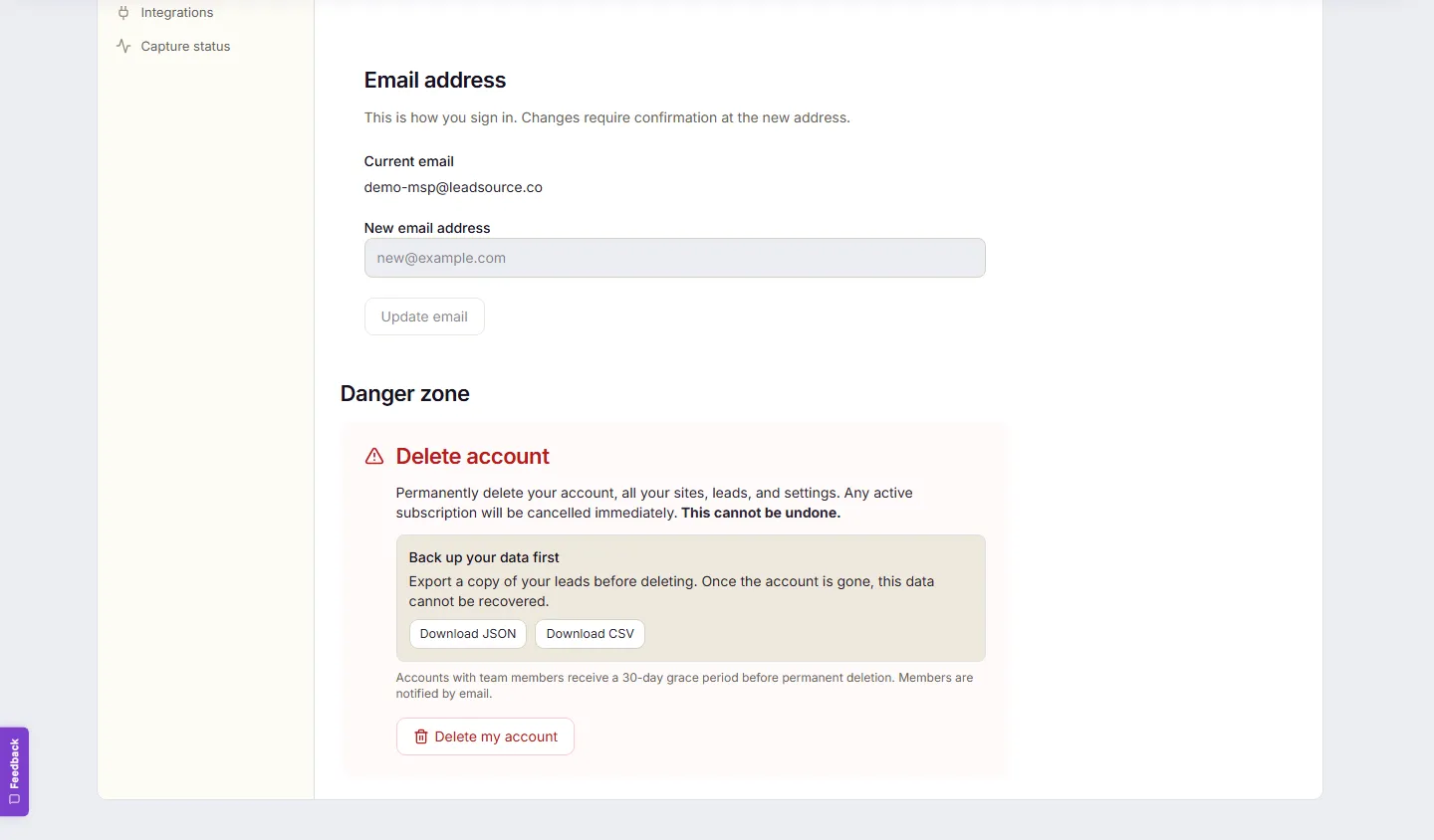
Section titled “Before anything: back up your data”In Settings → Profile → Delete account, the first thing you’ll see is “Back up your data first” with Download JSON and Download CSV — a complete export of your profile, sites, and every lead. Once the account is gone, this data cannot be recovered. (The same export is always available under Settings → Privacy → Data portability.)
Delete
Section titled “Delete”- Settings → Profile, scroll to Delete account. The screen spells out the deal: your account, all your sites, leads, and settings are permanently deleted, any active subscription is cancelled immediately, and it cannot be undone.
- Select Delete my account, then type your email exactly to confirm.
- Select Permanently delete account.
Expected result — it depends on whether you have a team:
- Just you on the account: deletion is immediate and irreversible. Your subscription is cancelled, everything is removed, and you’re signed out.
- You have team members: the account is scheduled for deletion in 30 days instead; every member is notified by email with the date, and the banner shows “Deletion scheduled for {date}.”
Prefer to make it a formal privacy request?
Section titled “Prefer to make it a formal privacy request?”Settings → Privacy → Right to erasure → Request account deletion submits a formal request — we contact you to confirm before proceeding. Some records (for example billing records) may be retained where the law requires it.
Common problems
Section titled “Common problems”- The confirm button won’t enable. The typed email must match your sign-in address exactly.
- Deleting because of a billing issue? You might not need to — cancelling keeps your data and drops you to the free plan instead: Plans, payments, and billing.
- Changed your mind during a team notice period? Contact us as soon as possible with your account email.