

Plans, payments, and billing
Everything billing lives in one place: open your avatar menu and select Billing.
Your plan and usage
Section titled “Your plan and usage”The Billing page shows your current plan, its status, and price. Your usage lives at Settings → Usage: leads captured in the current period — a rolling 28-day window, not a calendar month — against your plan’s allowance, plus your lead history and top sources. Free accounts include 50 leads per 28-day window and up to 3 forms; paid plans raise or remove those limits (current plans and pricing: leadsource.co).
If you go over your allowance, leads are never dropped. Every submission is still captured and stored; the allowance is a plan boundary, not a cliff.
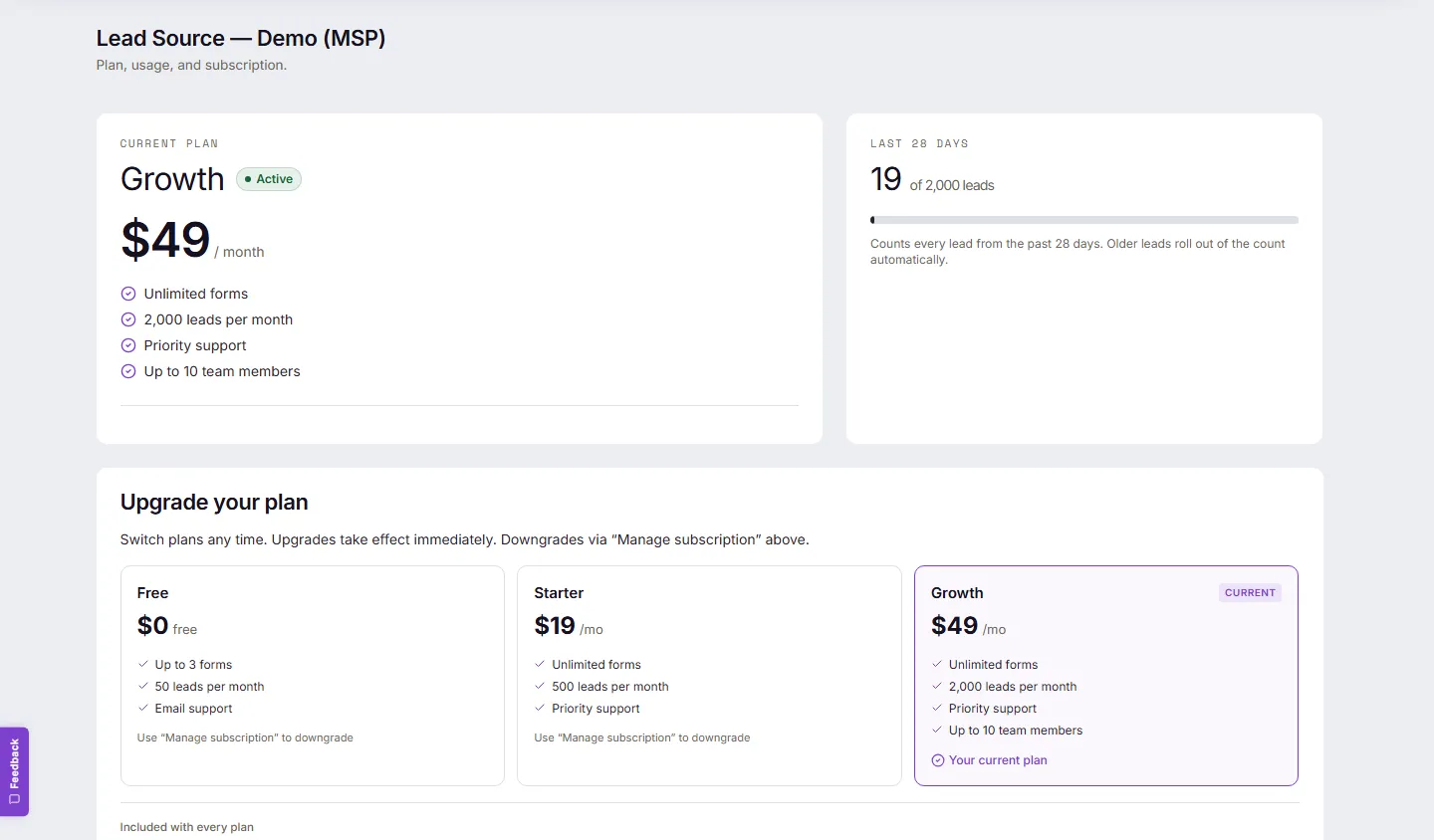
Upgrade
Section titled “Upgrade”On the Billing page under Upgrade your plan, select the plan — checkout runs and the upgrade takes effect immediately. You may be asked to re-enter your password first.
Card, invoices, downgrades, cancelling
Section titled “Card, invoices, downgrades, cancelling”Select Manage subscription on the Billing page. It opens your secure billing portal, where you can update your card, download invoices and receipts, downgrade, or cancel.
What actually happens when you cancel
Section titled “What actually happens when you cancel”- You keep full access to your paid plan until the end of the period you’ve paid for.
- At period end, the account moves to the Free plan.
- Your leads are never deleted. Everything already captured stays, and new leads keep being captured — anything beyond the Free allowance is simply marked as over the allowance rather than lost.
- You can export everything at any point, before or after.
If a payment fails
Section titled “If a payment fails”You get a grace period — the Billing page shows “Payment failed. Grace period active.” with the exact date, and your leads keep being captured throughout. Update your card via Manage subscription and the notice clears on the next successful charge. You’ll also receive the payment-failure emails from our payment provider.
Common problems
Section titled “Common problems”- Two pages show different numbers? Your allowance and status are authoritative on the Billing page.
- Want a refund or something bespoke? Contact us.